01
Goals
Read, create, copy and update. Every write is previewed before confirmation.
Employees and managers get answers and complete everyday HR actions directly in Teams — while Oracle remains the secure system of record.
HR COMPANION
Your workday, in Teams
Good morning 👋
Here are the 3 things worth your attention.
Every action uses your own Oracle permissions. Changes are previewed before they run.
40
purpose-built HR tools for Teams
END-TO-END
from question to action in Oracle
SPEAKS YOUR LANGUAGE
from the first hello
ONE IDENTITY
from Teams to Oracle
From HR portal to everyday action
Even a polished HR portal depends on employees remembering to open it. HR Companion brings the moment of action into Teams, while Oracle remains the system of record.
The old HR experience
ReactiveA portal waiting to be opened
Employees must remember where each process lives.
Notifications lost in the inbox
Important HR actions compete with everyday email.
Navigation instead of answers
Three screens to understand one team situation.
Managers chasing outstanding actions
Late goals and reviews surface after the deadline.
The Companion experience
In the flowProactive when it matters
One digest, one action per item — silent when all is well.
Ask, do not navigate
Natural language in the place people already work.
Act inside the answer
Approve, reject, update or open the right form in Teams.
Trusted answers. Approved actions.
Oracle permissions shape every answer, and only approved HR actions can run.
See it in action
One experience, tailored to every role. Employees handle their own HR; managers gain the team insights and actions they need — within existing Oracle permissions.
Real employee and manager journeys, running in Microsoft Teams.
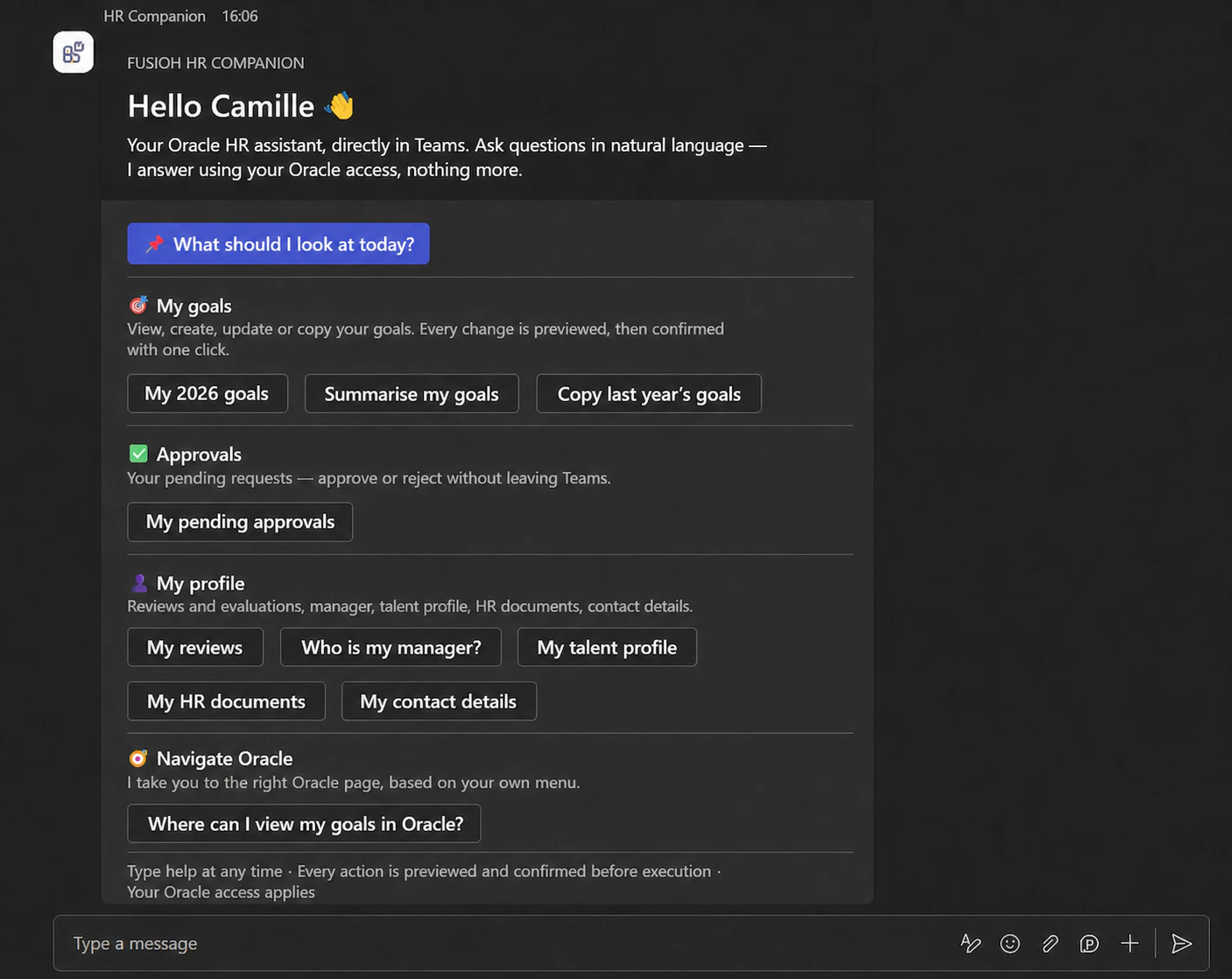
Employee · Camille
Goals, approvals, reviews, HR documents and profile details — directly in Teams, with Camille’s own Oracle permissions.
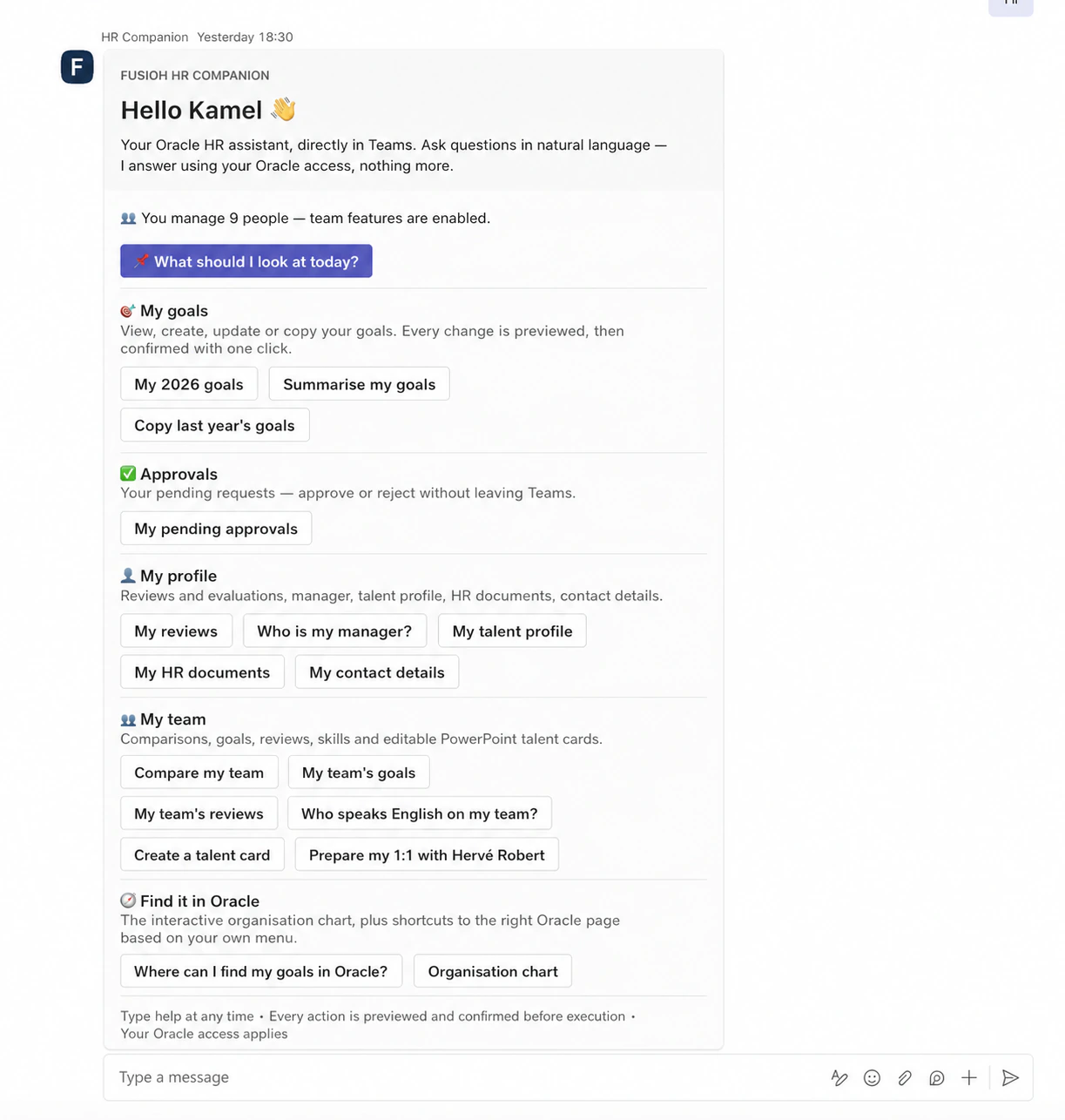
Manager · Kamel
Kamel sees the same employee services, plus the goals, reviews, skills and talent actions permitted by his manager role.
One Companion, the whole workday
From a question to a completed HR action, everything happens in Teams — while Oracle stays securely up to date.
Read, create, copy and update. Every write is previewed before confirmation.
Approve, reject and inspect the detail without leaving the conversation.
Track campaign progress, see who needs to act and identify overdue steps, then summarise only the review content each user can see.
Compare team members, spot late work and prepare a one-to-one with one question.
Search and explore a live org chart in an advanced Teams dialog.
Find skills, explore the nine-box, then generate talent cards as a downloadable, fully editable PowerPoint deck.
Check recorded absences, Oracle leave balances where permissions allow, and the HR document references visible in the employee record.
Enable approved, read-only access to compatible Oracle areas such as learning, journeys and talent pools through client configuration.
Summarise the Oracle content the current user is actually allowed to see.
Every capability is limited to the data and actions available in your Oracle HCM environment. Restricted or unavailable data remains inaccessible.
Purpose-built interaction
Complex HR actions stay simple in Teams. HR Companion opens the right form with your Oracle fields and rules already applied — ready for review and confirmation.
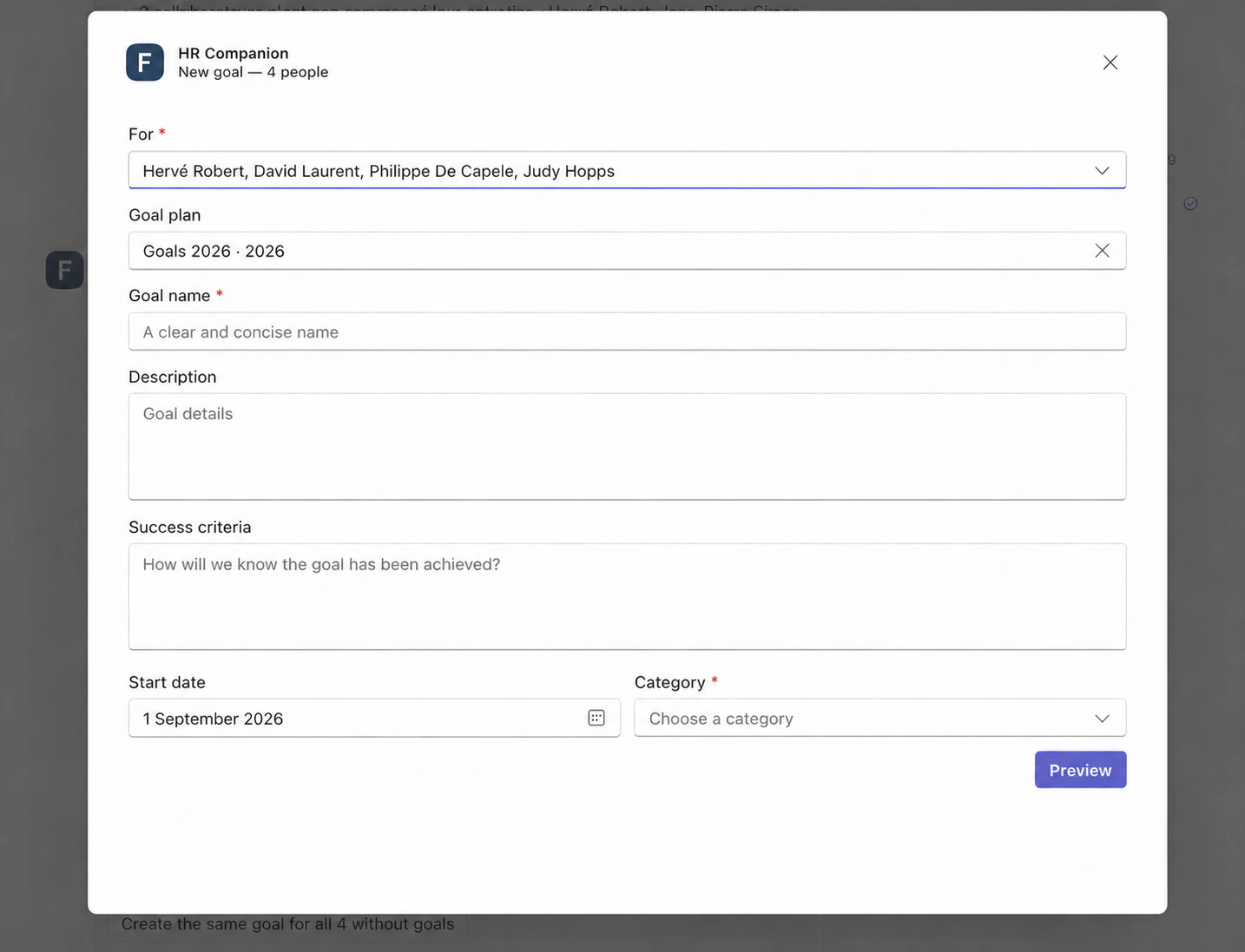
The same Teams flow opens an Oracle-aware form for a shared goal, with required fields and a preview before execution.
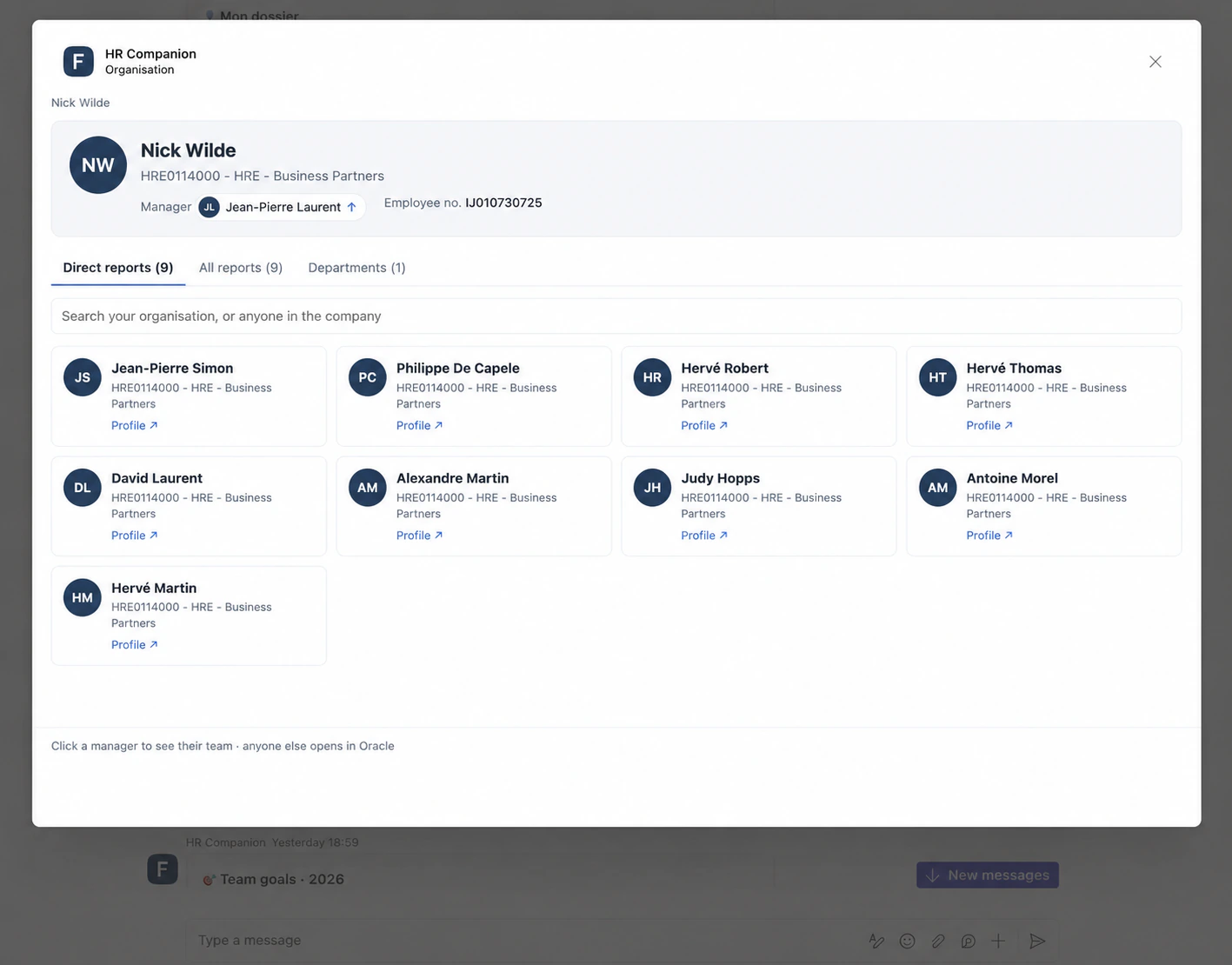
Search, navigate reporting lines and open the right Oracle profile from a live, structured dialog.
Oracle AI, governed
Every request is tied to the employee’s verified Microsoft identity and governed by their existing Oracle permissions. HR Companion acts only through the HR services your organisation has approved.
Employee in Teams
Asks, clicks or confirms in their normal work context.
Verified Microsoft identity
Carries the user’s identity securely into every request.
Oracle AI Agent Studio
Understands intent and selects from an approved set of HR actions.
Approved HR action
Runs with that person’s delegated Oracle access.
Oracle HCM
Returns only what the user’s Oracle security profile allows.
The verified Microsoft identity follows every request into Oracle, so access stays personal.
Oracle security profiles decide what the employee, manager or HR user can access.
Every change is previewed and explicitly confirmed before it is sent to Oracle.
HR Companion retrieves only the authorised content needed for each response and does not store that content at rest.
What is hidden in Oracle stays out of answers, summaries and generated documents.
An optional redacted trail links each Teams message to the tools used and a limited preview of the reply, without storing tokens or complete HR records.
Same question. The right answer for each role.
Employees, managers and HR users see only what their Oracle permissions allow.
Security, privacy & deployment
Identity, data handling, Oracle AI retention, delivery model and shared responsibilities — documented in one place.
Built, not pitched
HR Companion is ready for real HR work today: a Teams experience that speaks your people’s language, enterprise-grade Oracle security and a proven catalogue of HR actions.
Daily digests and focused reminders bring the right actions forward before they become urgent.
Links, rules, approvals and access controls remain tied to the customer environment.
Use Oracle AI Agent Studio today, with the flexibility to connect another enterprise-approved model.
Hundreds of automated checks validate HR actions and identity flows across the Teams experience.
Turn the Oracle talent data each manager is authorised to access into presentation-ready, fully editable PowerPoint talent cards — directly from Teams.
Step 1 · Microsoft Teams
1 / 2
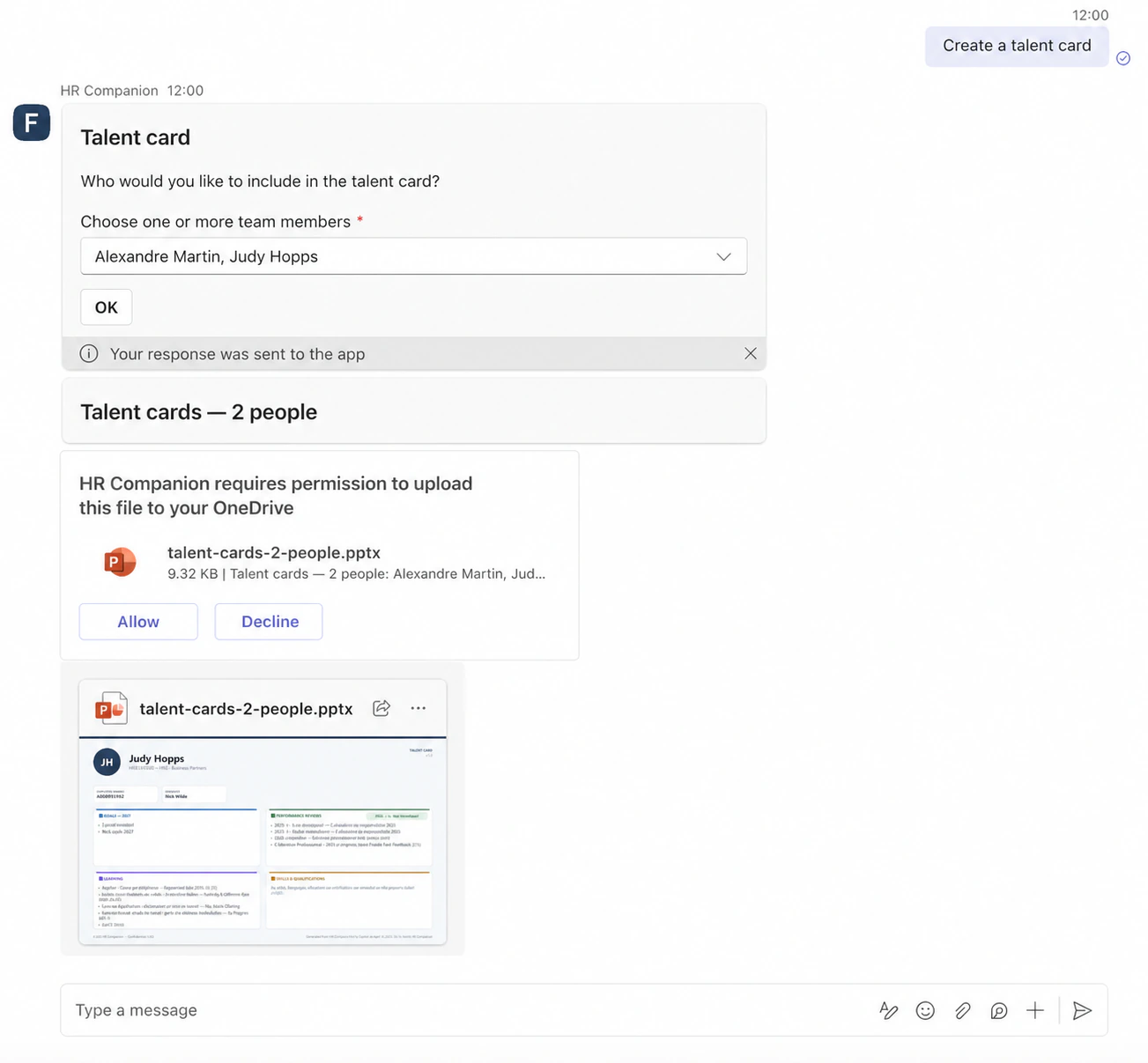
The manager chooses the team members. HR Companion creates the .pptx and returns it in the same conversation.
Make HR part of the workday
Bring us your Oracle priorities. We’ll show employees and managers acting on them directly in Teams.